
Agents setup guide
OpenCode Agents Guide: 7 Checks for Subagents and AGENTS.md
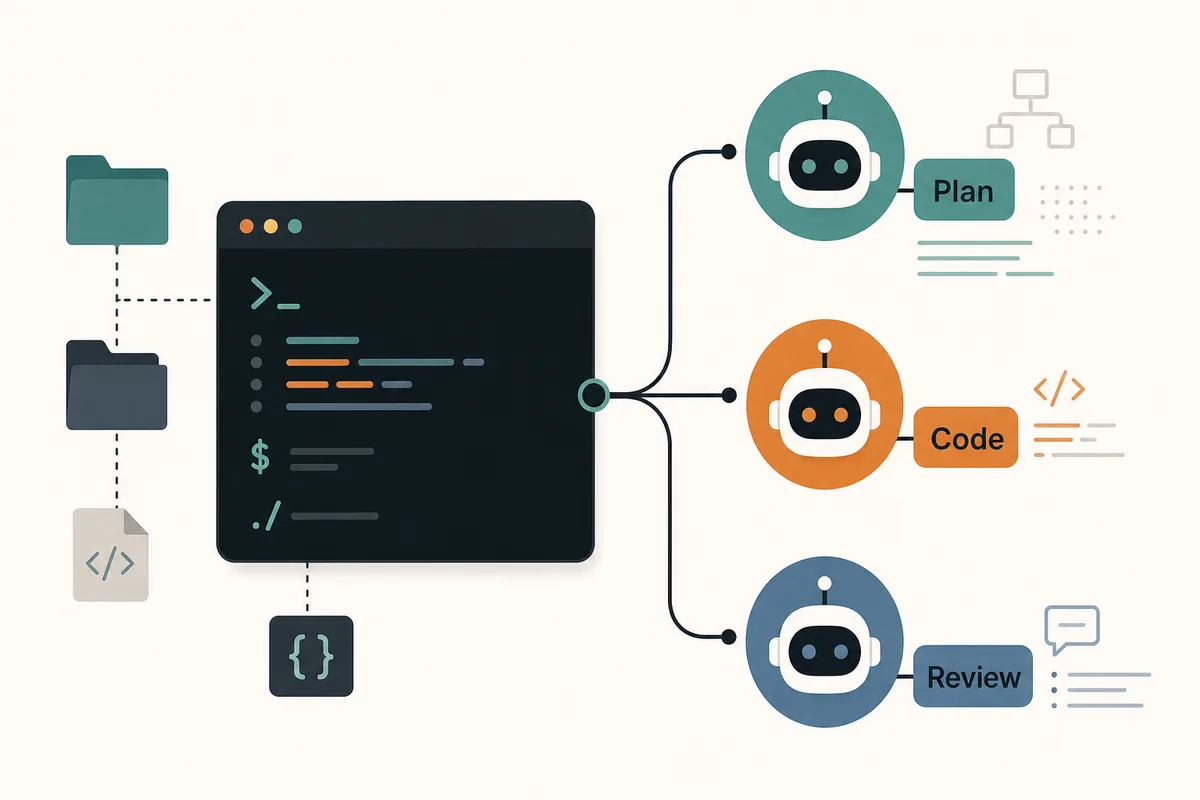
The short answer: use AGENTS.md for repository-wide instructions and use OpenCode agents when you need a named specialist with its own prompt, model, tools, and safety boundary. Start with one agent, verify it with a read-only task, then allow write-capable tools only after the diff and rollback path are clear.
- Quick answer
- opencode agents
- Checked July 26, 2026
- AGENTS.md + subagents
- 15 min read
- Guide
Quick answer
OpenCode agents vs AGENTS.md
The short answer: use AGENTS.md for repository-wide instructions and use OpenCode agents when you need a named specialist with its own prompt, model, tools, and safety boundary. Start with one agent, verify it with a read-only task, then allow write-capable tools only after the diff and rollback path are clear.
| Decision | Use AGENTS.md | Use an OpenCode agent |
|---|---|---|
| Scope | Every assistant working in the repository | A named specialist role |
| Best content | Project rules, commands, paths, warnings | Role prompt, model, tools, output contract |
| Change frequency | Slow and durable | Can change per workflow |
| Risk control | Shared baseline | Narrow permissions and task routing |
| Example | Run tests before commit | Review only security-sensitive diffs |
1. Decide whether the work belongs in AGENTS.md or an agent
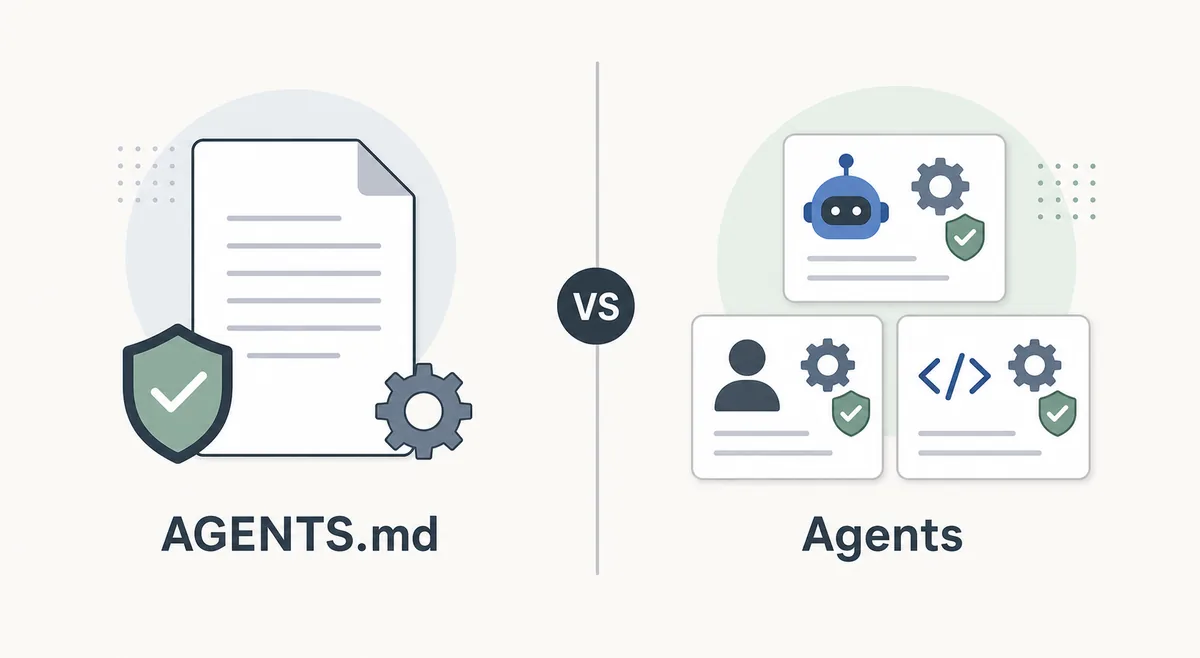
AGENTS.md is best for durable repository instructions: test commands, coding style, generated folders, review expectations, and project warnings every assistant should see. It is not the right place to describe every specialist workflow because broad instructions become hard to maintain and can overconstrain unrelated tasks.
OpenCode agents are better for role-specific behavior. Use them when the task needs a narrower system prompt, a different model, a limited tool set, or a repeatable role such as reviewer, planner, documentation editor, or migration helper. This keeps the main coding flow simple while still giving advanced work a controlled path.
2. Use subagents only when they reduce real complexity
A subagent is useful when the main task has a separable concern: inspect a large folder, review a risky diff, research an API, or prepare a migration checklist. If the work is a single small edit, a subagent usually adds overhead rather than clarity.
The strongest pattern is a named specialist with an explicit output contract. For example, a review agent can return findings with file references, while a docs agent can return a short patch plan and the exact pages affected. Avoid vague roles such as helper, genius, or general expert because they do not constrain behavior.
3. Choose model and tools from the risk of the role
Use a stronger reasoning model for review, architecture, security-sensitive reasoning, and migration planning. Use a cheaper or faster model for summarizing files, formatting notes, or drafting simple documentation. The point is not to make every agent powerful; it is to make each agent predictable for its job.
Tool access should be narrower than the main session whenever possible. A documentation agent may only need read access and file edits in docs. A testing agent may need shell access but not secret files. A research agent may need network access but not write permission. Smaller tool sets reduce accidental changes and make failures easier to diagnose.
4. Keep configuration reviewable and secret-free
Team configuration belongs in files that developers can review, but secrets do not. Keep API keys, provider tokens, private endpoints, and service credentials in environment variables or the provider's credential flow. If an agent requires a token-backed tool, document the variable name and required scope instead of committing the value.
Use stable names. A name such as reviewer or docs-editor makes logs, prompts, and incident notes understandable months later. When a role is experimental, leave it disabled or document when it should be used rather than loading it into every normal session.
5. Verify agents with a low-risk task before real edits
The first validation should not touch production code. Ask the agent to explain a file, list assumptions, or review a small existing diff. Confirm that it follows the role, stays inside the intended scope, and returns the output format you expected.
After that, allow a small write task and inspect the Git diff. If the agent changes unrelated files, ignores instructions, uses the wrong command, or cannot explain its edits, fix the prompt or tool boundary before using it in a larger repository.
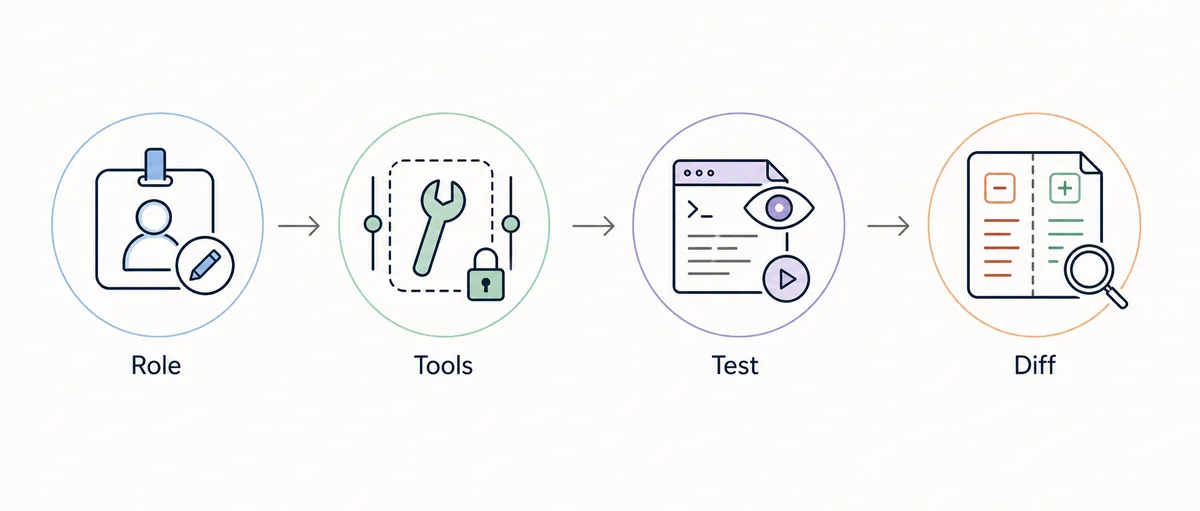
- Name the roleUse a clear name such as reviewer, planner, docs-editor, or migration-checker.
- Write the output contractDescribe what the agent should return and what it must not do.
- Pick the modelMatch reasoning depth and cost to the role's risk.
- Limit toolsStart with the smallest tool set that can complete the job.
- Run read-only validationAsk for explanation, inspection, or review before allowing edits.
- Inspect a small diffApprove broader use only after the first write task is clean.
- Record the ruleDocument when the agent should be used and when the main session is enough.
6. Avoid common agent configuration mistakes
The most common mistake is creating too many agents before one of them has proven useful. Each extra role adds mental overhead for the developer and can create routing confusion. Start with one practical role, record the successful task, then add another only when a repeated workflow justifies it.
Another mistake is mixing AGENTS.md instructions with role-specific agent rules. Keep repository facts in AGENTS.md and role behavior inside the agent. If the same instruction appears in both places, future edits can drift and the model may receive conflicting guidance.
| Symptom | Likely cause | Repair |
|---|---|---|
| Agent ignores its role | Prompt is too broad | Add a concrete output contract and negative scope |
| Wrong files changed | Tool boundary is too wide | Restrict paths, tools, or approval rules |
| Repeated generic advice | Role lacks repository context | Move durable project facts to AGENTS.md |
| Too much context used | Too many enabled roles or tools | Disable unused agents and broad MCP servers |
| Team cannot reproduce setup | Secrets or local paths are hidden | Document variables, scopes, and verified commands |
7. Use agents with MCP, hooks, and skills deliberately
Agents become more valuable when combined with narrow integrations. A reviewer may use read-only GitHub or issue context through MCP. A release agent may rely on hooks that run checks before handoff. A docs agent may reuse a writing skill. The integration should serve the role instead of making the role broader.
When an integration can mutate files, issues, databases, or production systems, add one layer at a time. First prove the agent prompt, then the tool, then the write path. This sequence makes it clear which layer failed and protects the repository from a configuration that looks convenient but is difficult to audit.
Example agent boundaries
{
  "agents": {
    "reviewer": {
      "model": "provider/reasoning-model",
      "description": "Review diffs and return concrete findings only",
      "tools": ["read", "grep"]
    },
    "docs-editor": {
      "model": "provider/fast-model",
      "description": "Update documentation after source changes",
      "tools": ["read", "edit"]
    }
  }
}
Team configuration belongs in files that developers can review, but secrets do not. Keep API keys, provider tokens, private endpoints, and service credentials in environment variables or the provider's credential flow. If an agent requires a token-backed tool, document the variable name and required scope instead of committing the value.
OpenCode agents FAQ
What are OpenCode agents?
They are named specialist roles you can use for focused work such as review, planning, documentation, research, or migration checks. A useful agent has a clear prompt, model choice, tool boundary, and output contract.
Where should I put AGENTS.md for OpenCode?
Put repository-wide instructions at the root when they apply to the whole project. Use more specific instruction files only when a subfolder needs different rules, and keep role-specific behavior inside the agent instead of the shared file.
Do OpenCode agents replace skills?
No. Skills are reusable procedural knowledge, while agents are role boundaries. A docs agent can use a writing skill, and a review agent can follow a review skill, but the agent still controls when and how that role should act.
Should every project create subagents?
No. Add subagents only when a repeated task benefits from a specialist role. For small repositories, a clear AGENTS.md plus the main session may be enough.
How do I make OpenCode agents safer?
Keep secrets out of config, start with read-only validation, limit tools and paths, inspect the first diff, and document when the agent is allowed to run.
Official sources checked