
Quick answer
opencode rules: Quick answer
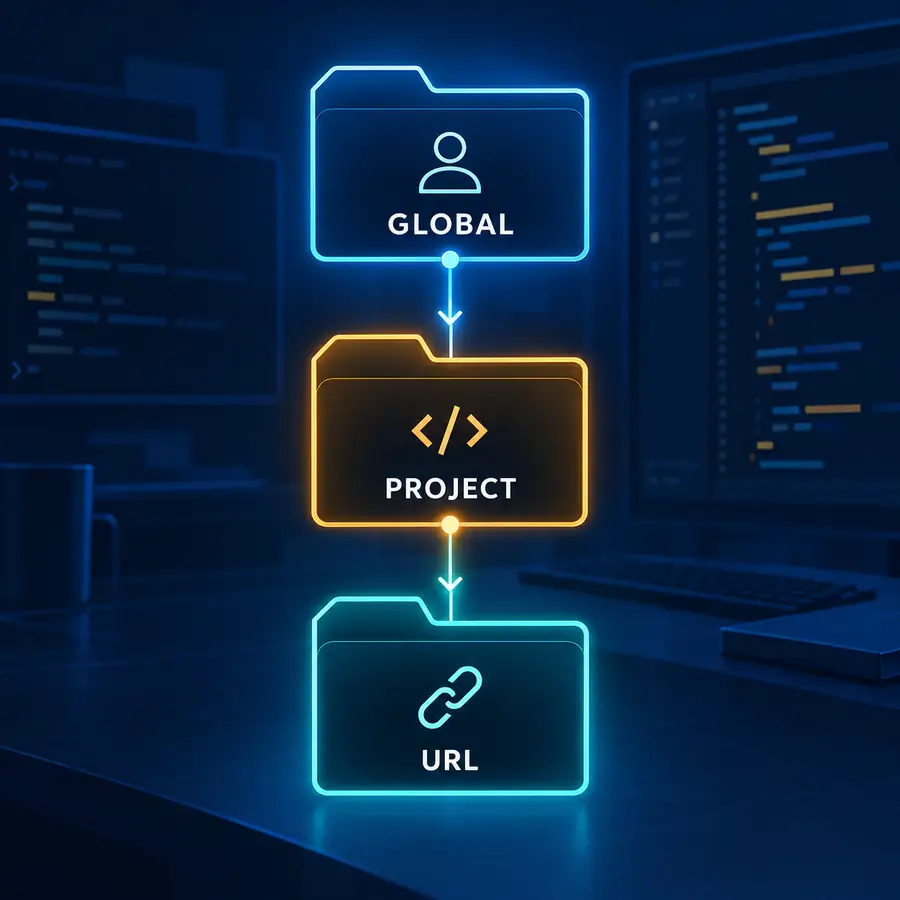
OpenCode rules are durable instructions that shape how an agent works in a repository or a trusted URL context. Start with a project rule when the guidance belongs to one codebase, use a global rule only for habits that should follow you everywhere, and treat URL-scoped instructions as conditional input that must be trusted and reviewed. The important decision is scope and precedence, not the length of the rule file.
Similarweb's `opencode rules` cluster points to a practical configuration intent: people are looking for a rules file, global rules, project rules, and how precedence changes the final instructions. The current OpenCode documentation separates rules from skills, agents, permissions, and general config, but many guides mention those surfaces without showing how to choose between them.
This page keeps those boundaries explicit. Use rules for durable instructions that should be available during a session; use skills for reusable procedures, agents for role boundaries, permissions for allow or ask policy, and config for product settings. The examples below use low-risk checks so you can verify the effective instructions before allowing edits.
Rules: OpenCode Skills, OpenCode Agents, OpenCode Permissions, OpenCode Config.
1. Choose the smallest OpenCode rules scope that fits
A project rule is the default choice for repository facts: test commands, generated folders, file ownership, code style, security boundaries, and release checks. It travels with the repository and can be reviewed in the same pull request as the code it protects. A global rule is for personal habits that are stable across stacks, such as how you want a diff summarized or which harmless validation to run first.
URL-scoped instructions can be useful when a trusted documentation source is part of the workflow, but they add a network and provenance boundary. Do not make a remote URL the only place where a critical repository rule is defined. Pin the source, review changes, and keep a local fallback for anything that protects secrets, production paths, or generated output.
| Scope | Best fit | Main risk to check |
|---|---|---|
| Project | Rules that every contributor should see | Stale instructions or an overly broad repository policy |
| Global | Personal habits shared across repositories | A rule written for one stack surprising another |
| URL-scoped | Trusted external instructions for a specific context | Network drift, source changes, or unreviewed content |
2. Know where OpenCode discovers rules
The official Rules documentation describes an initialization flow, rule types, precedence, custom instructions, and references to external files. Start by running the current OpenCode initialization or checking the generated project files, then confirm the exact path for the version installed on your machine. Do not guess a directory from another agent framework and assume OpenCode will load it.
Keep the file near the project convention it describes. A short repository rule should tell a new contributor what it protects, which command proves it, and how to update it. If the file grows into a long procedure, move the repeatable procedure into a skill and leave a small rule that points to the workflow.
3. Treat precedence as a reviewable decision
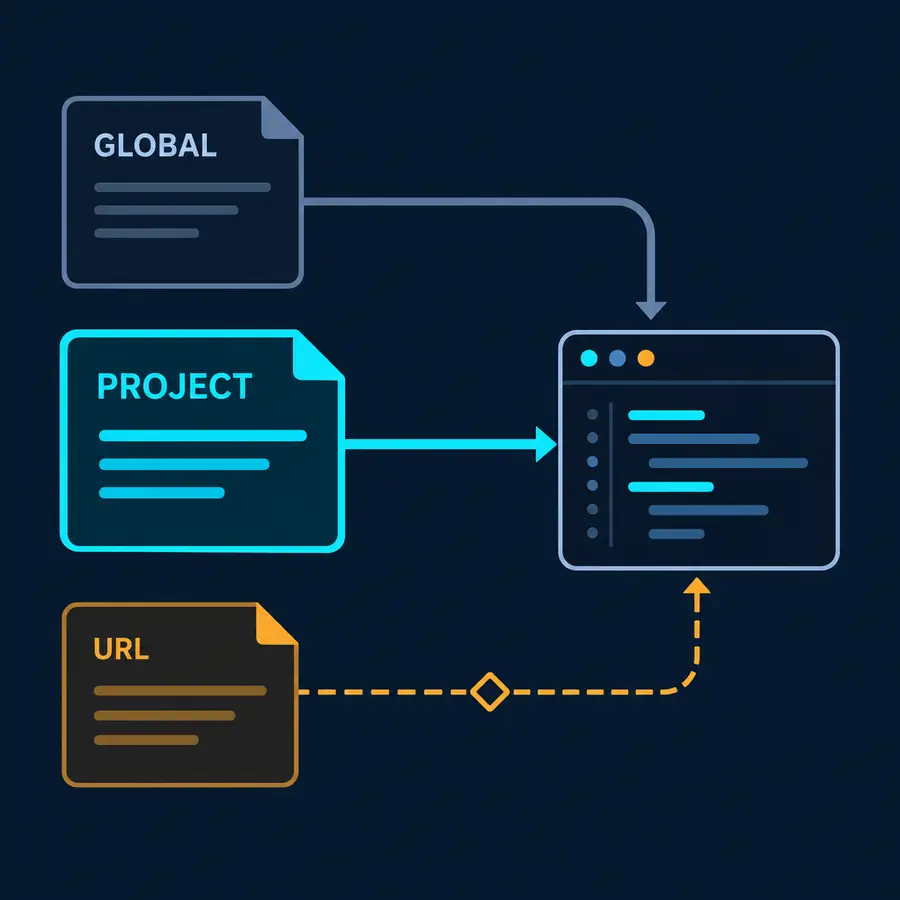
Rules can overlap. A global instruction may say to run a fast test, while a project rule may require a different command or a generated-file restriction. The effective behavior depends on the rule type and the documented precedence order. Read the current OpenCode rules page for the exact order, then write a small conflict example and observe which instruction wins.
The practical rule is simple: the most specific applicable instruction should own repository behavior, and a more general rule should not silently undo it. When two instructions conflict, preserve the project safety boundary, remove duplicated wording, and record the reason in the rule file or review note. Never solve a conflict by copying both instructions into a larger prompt.
4. Write custom instructions as short contracts
A useful OpenCode rule answers five questions: when does it apply, what must the agent do, what must it avoid, what evidence proves completion, and how can a developer disable or update it? Put the most important constraint first. Use concrete paths and commands instead of vague requests such as 'be careful with production'.
Keep facts separate from preferences. 'Run `npm test` before a commit' is a project rule when the repository documents that command. 'Prefer compact explanations' is a personal style preference and may belong in a global rule or skill. Separating those categories prevents a local preference from becoming a team-wide policy by accident.
# Repository rule file
## Validation
- Run the documented test command before editing generated output.
- Keep secrets in environment variables, not in this file.

# URL-scoped external instruction (only when the URL is trusted)
https://example.com/docs/agent-rules.md
5. Reference external files only after checking trust
External files can keep a shared instruction current, but the URL becomes part of your execution boundary. Check the hostname, transport, ownership, update history, and whether the content can change without review. A URL that returns a page successfully is not automatically a source you should give write-capable sessions.
Use an external reference for low-risk context first, such as API naming conventions or a public style guide. Keep local rules for secrets, deployment, destructive commands, and customer data. If the network is unavailable, the session should fail clearly or use a reviewed local copy instead of silently continuing with incomplete policy.
6. Keep rules separate from skills, agents, permissions, and config
Rules describe durable instructions. Skills describe reusable procedures with their own steps and examples. Agents define a role, model, tool set, and output contract. Permissions decide whether a tool action is allowed, asked, or denied. Config controls product settings such as providers and directories. These surfaces can cooperate, but each should keep its own job visible.
A common failure is putting a complete release workflow into a rule file, then adding a permission exception so it can run automatically. Instead, keep the rule as a guardrail, put the repeatable workflow in a command or skill, and require explicit approval for the high-impact action. This separation makes troubleshooting and code review much easier.
| Need | Use | Do not hide it in |
|---|---|---|
| Durable repository instruction | Rule | A broad agent prompt |
| Repeatable multi-step procedure | Skill or command | A rule file with side effects |
| Named role and tool boundary | Agent | A global rule that affects every task |
| Allow, ask, or deny a tool | Permission | A custom instruction that hopes the model obeys |
7. Validate the effective rules before real edits
Use a disposable branch or small repository to validate a new rule. Ask OpenCode to explain the rule it is applying, list the files it expects to touch, and perform a read-only task first. Then run one harmless edit, inspect the Git diff, and compare the result with the expected contract. This catches wrong paths, stale syntax, scope leaks, and conflicting global instructions before they affect production code.
Keep a rollback path: remove the project rule, disable the external reference, or restore the previous file from Git. Re-run the same task after the rollback to prove that the behavior actually changed. When a rule is updated, note the date, reason, and validation command so future upgrades do not turn a small instruction into unexplained policy drift.
OpenCode rules FAQ
What are OpenCode rules?
They are durable instructions that guide an OpenCode session within a selected scope, such as a project, a global user context, or a trusted external reference.
Where should project rules go in OpenCode?
Use the current OpenCode Rules documentation or initialization flow to confirm the path for your installed version. Keep repository rules in the project so the team can review them with the code.
What is the difference between OpenCode rules and skills?
Rules state durable constraints and conventions. Skills describe reusable procedures with steps and examples. A rule can point to a skill, but it should not hide a long workflow.
Can global OpenCode rules override project rules?
The effective result depends on the documented precedence and rule type. Test a small conflict example and keep the more specific project safety boundary explicit.
Are URL-scoped OpenCode rules safe?
Only when the URL is trusted, reviewed, and appropriate for the task. Keep critical security and deployment instructions locally and make network failure visible.
Official sources
OpenCode's Rules, Config, Permissions, Skills, and Agents documentation was checked on October 31, 2026. Paths and precedence can change with releases, so confirm the exact syntax against the current official page before relying on it.