
Configuration guide
opencode.jsonc Config Guide: 7 Checks Before You Commit
The useful answer is not just where the file goes. Use opencode.jsonc for reviewable, non-secret OpenCode settings, keep credentials outside the repo, understand how global and project config merge, then validate providers, models, permissions, and rollback before the file becomes team policy.
- Quick answer
- opencode.jsonc
- Checked July 31, 2026
- 17 min read
Quick answer
opencode.jsonc
The useful answer is not just where the file goes. Use opencode.jsonc for reviewable, non-secret OpenCode settings, keep credentials outside the repo, understand how global and project config merge, then validate providers, models, permissions, and rollback before the file becomes team policy.
| Config decision | Recommended placement | Review question |
|---|---|---|
| Model and small model | Project when shared, global when personal | Is the model ID verified today? |
| Provider options | Global or managed config | Does this expose a token or private endpoint? |
| Permissions | Project for team rules | Can a reviewer explain each allow and deny? |
| Shell and TUI preferences | Global unless the repo requires it | Will this work on every target OS? |
| MCP and plugins | Project only after scope review | Can the integration mutate external data? |
1. Start with what belongs in opencode.jsonc
OpenCode's official config docs describe JSON and JSONC support, so comments are useful for explaining why a project setting exists. Treat those comments as operational notes: who owns the choice, when it was verified, and what command proves it still works.
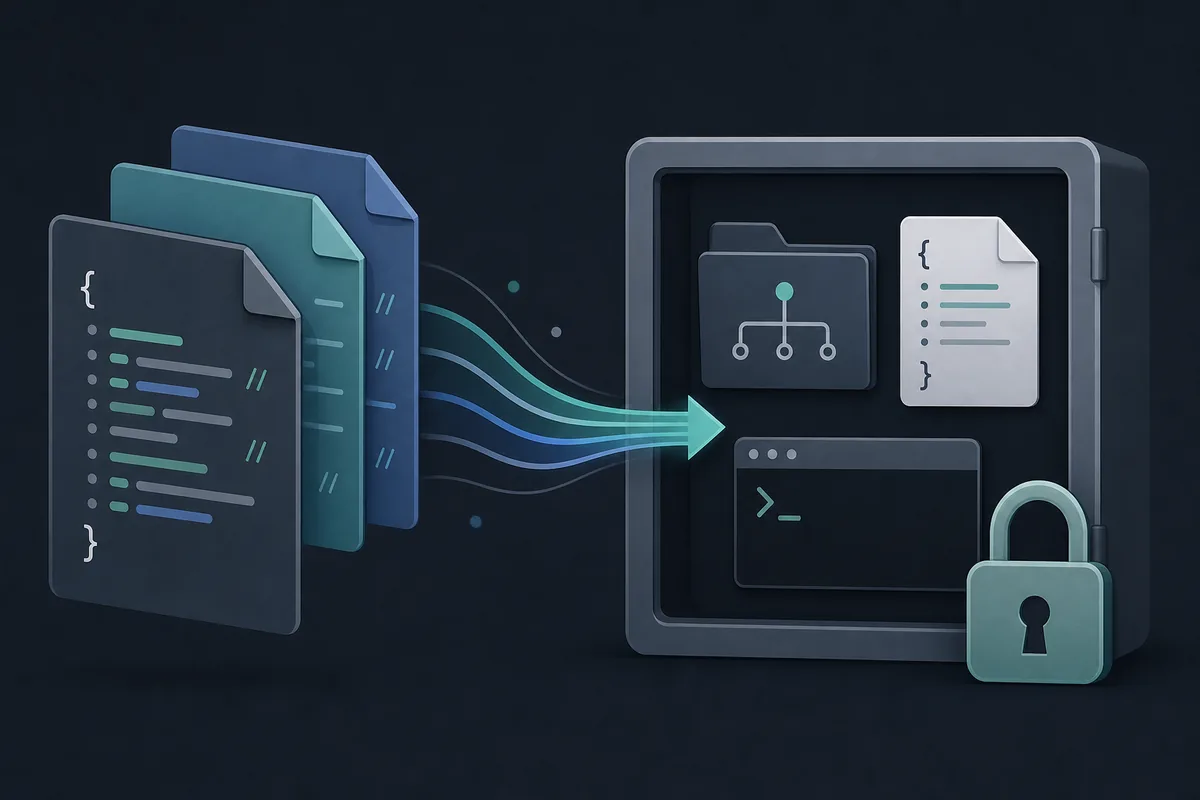
Good config files avoid secrets. Put model choices, shell preferences, tool posture, permission defaults, and project-owned paths in config. Keep API keys, provider tokens, private base URLs, proxy passwords, and deployment credentials in environment variables or the provider's credential flow.
2. Choose global, project, or managed config deliberately
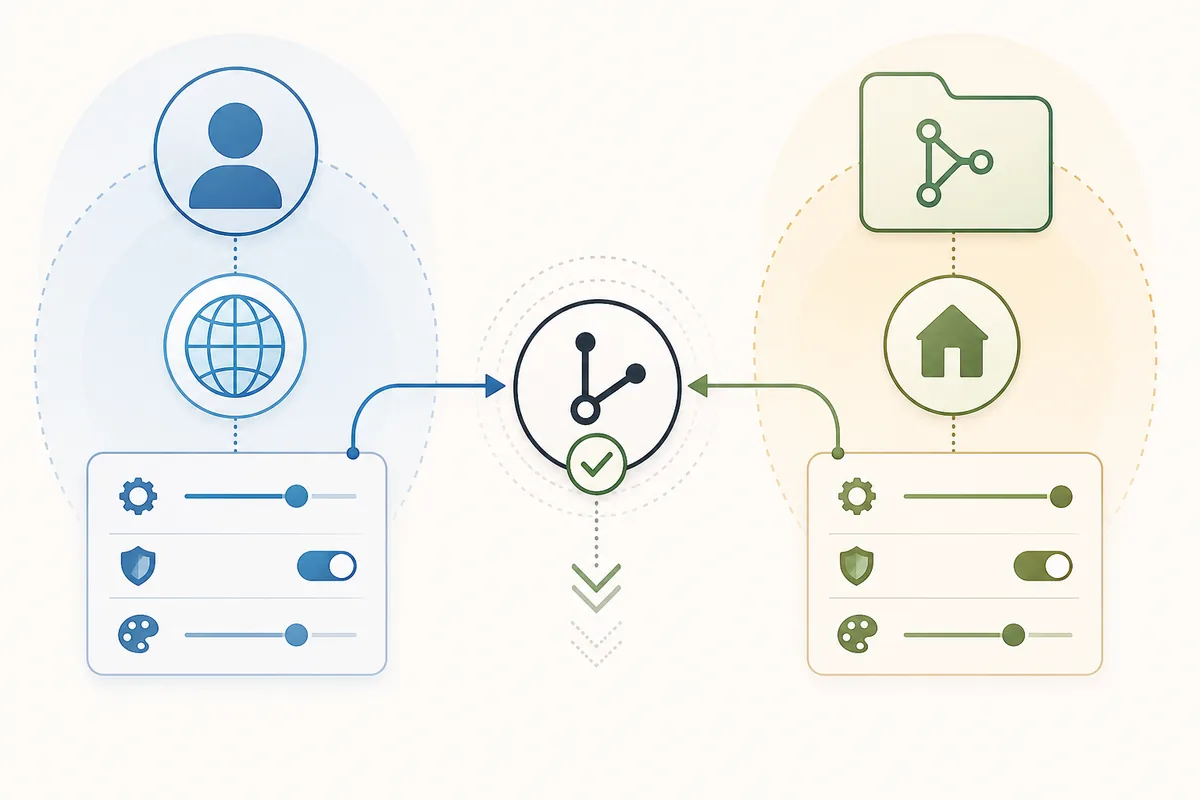
The official config page lists several locations and explains that configuration files are merged rather than fully replaced. That matters because a global preference can combine with a project model or permission rule unless a later layer overrides the same key.
For solo work, global config is convenient for personal provider and editor habits. For a team, project config is better for rules everyone should review: default model family, ignored paths, command posture, MCP decisions, and permission expectations. Managed config belongs to organizations that need non-overridable defaults.
3. Set provider and model fields as verifiable choices
Provider and model entries should be copied from current official docs or provider dashboards, not guessed from marketing names. A config that uses the wrong model ID can look valid as JSON while failing only when OpenCode starts a real request.
Use one primary model and one small or cheaper model only when the workflow benefits from that split. Record why the model was chosen: latency, cost, context window, local availability, or compliance. If the reason changes, the config should be reviewed instead of silently inherited.
4. Keep permissions narrow and reviewable
Permissions are the part of opencode.jsonc most likely to affect safety. Start with ask for edits and shell commands until the repository proves which actions are repetitive, reversible, and low risk. Exact test or formatting commands can become narrow allows after the first clean diff.
Do not let one annoying prompt justify a broad allow rule. Package installs, deletes, migrations, deploys, pushes, secret files, and external directories should remain denied or explicitly reviewed. If an agent or MCP tool needs an exception, keep that exception close to the role or integration that requires it.
5. Use schema validation before asking OpenCode to rely on the file
Add the official schema URL so editors can validate and autocomplete. Schema validation is not a full safety check, but it catches misspelled keys, wrong value shapes, and outdated assumptions before you debug behavior inside a live session.
Pair schema validation with a short human review. Check whether every key is non-secret, whether comments are accurate, whether project rules belong in the repo, and whether any value is version-sensitive. Config should be readable by the next maintainer, not only accepted by the editor.
6. Test the resolved config in a small repository
Before committing a new opencode.jsonc, test it in a disposable or low-risk repository. Run a config debug command when available, start OpenCode, list models, read a file, attempt a small edit, run the expected test command, and confirm a denied action really stops.
The validation result should be written down near the config or in the pull request. Include operating system, shell, provider, model ID, command tested, and rollback step. That note turns the file from a guess into a reproducible baseline.
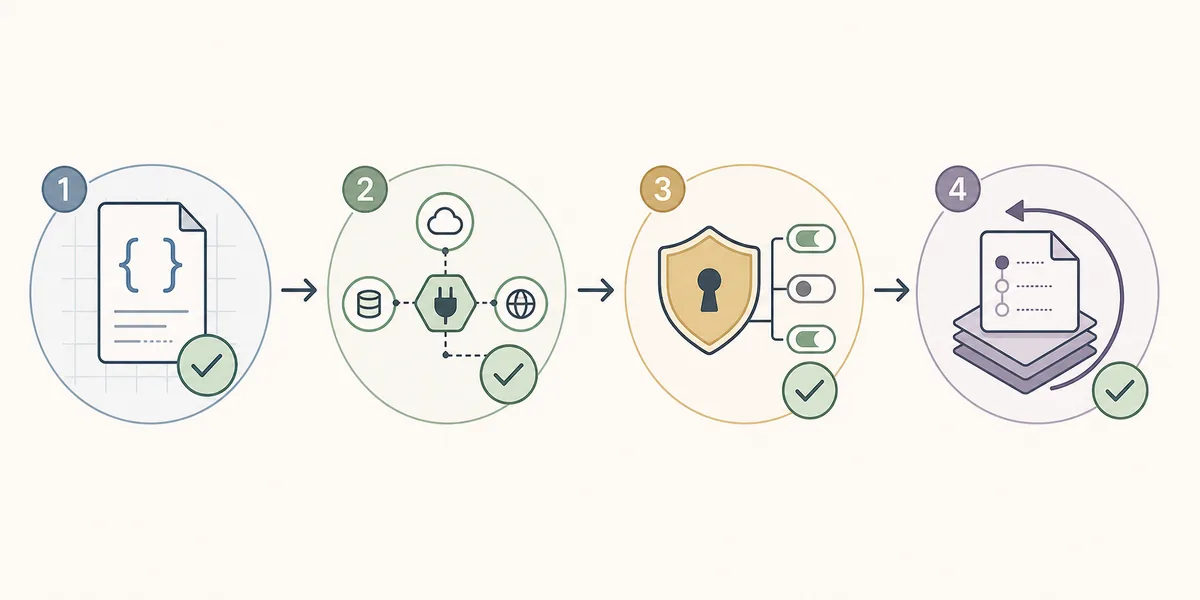
- Create a minimal fileStart with schema, model choice, and one reviewed permission posture.
- Validate syntaxUse editor schema support or JSONC-aware tooling before running OpenCode.
- Resolve layersCheck whether global, project, custom path, or managed config wins.
- Run a small taskRead a file, make a harmless edit, and execute a known command.
- Test denialTry one intentionally blocked action and confirm it does not run.
- Record rollbackDocument how to remove the rule or start without the custom file.
7. Troubleshoot config mistakes without broad rewrites
When config breaks, isolate the layer before rewriting everything. Check JSONC syntax, current working directory, Git root discovery, global overrides, project overrides, environment variables, provider availability, and permission prompts in that order.
For Windows questions such as opening the config file or choosing PowerShell, separate file location from shell behavior. A valid project config can still fail if the integrated terminal cannot see the provider environment variables or if the shell value points to a command that does not exist on that machine.
| Symptom | Likely cause | First repair |
|---|---|---|
| JSON looks valid but OpenCode ignores it | Wrong directory or lower-precedence file | Check current folder, Git root, and configured path |
| Model list fails | Provider key, base URL, or model ID mismatch | Verify provider outside the project config |
| Permission rule does not match | Pattern too broad, too narrow, or in the wrong layer | Log the exact tool, command, and path |
| Works locally but fails for a teammate | Global dependency hidden in personal config | Move shared rules into project config and remove secrets |
| Windows shell fails | Configured shell is missing from PATH | Test the shell command in the same terminal |
opencode.jsonc FAQ
Does OpenCode support opencode.jsonc?
Yes. The official config docs describe JSON and JSONC support. Use comments for ownership and verification notes, not for secrets.
Where should opencode.jsonc live?
Use project config for team-reviewed repository behavior and global config for personal defaults. Project config is easier for reviewers to audit.
Can I commit opencode.jsonc?
Commit only non-secret project rules. Never commit API keys, private provider endpoints, proxy credentials, or deployment tokens.
What should I validate first?
Validate syntax and schema first, then provider/model resolution, then permissions, then a small edit and rollback path.
Is opencode.jsonc better than opencode.json?
JSONC is useful when comments explain why a setting exists. Use whichever format your team can validate and maintain consistently.
How do I avoid config conflicts?
Document precedence, keep shared rules in the project, keep personal preferences global, and test the resolved config before committing.
Official sources checked
Official OpenCode documentation was checked on July 31, 2026. Exact fields and precedence can change, so verify production configuration against the current docs.