
OpenCode permissions
OpenCode Permissions Guide: 7 Safer Choices Before You Skip Prompts
Learn how OpenCode permissions, ask/allow/deny rules, --auto mode, external directory checks, and agent overrides fit together before you skip prompts.
- Quick answer
- opencode permissions
- Updated July 30, 2026
- 18 min read
Quick answer
opencode permissions: what to know first
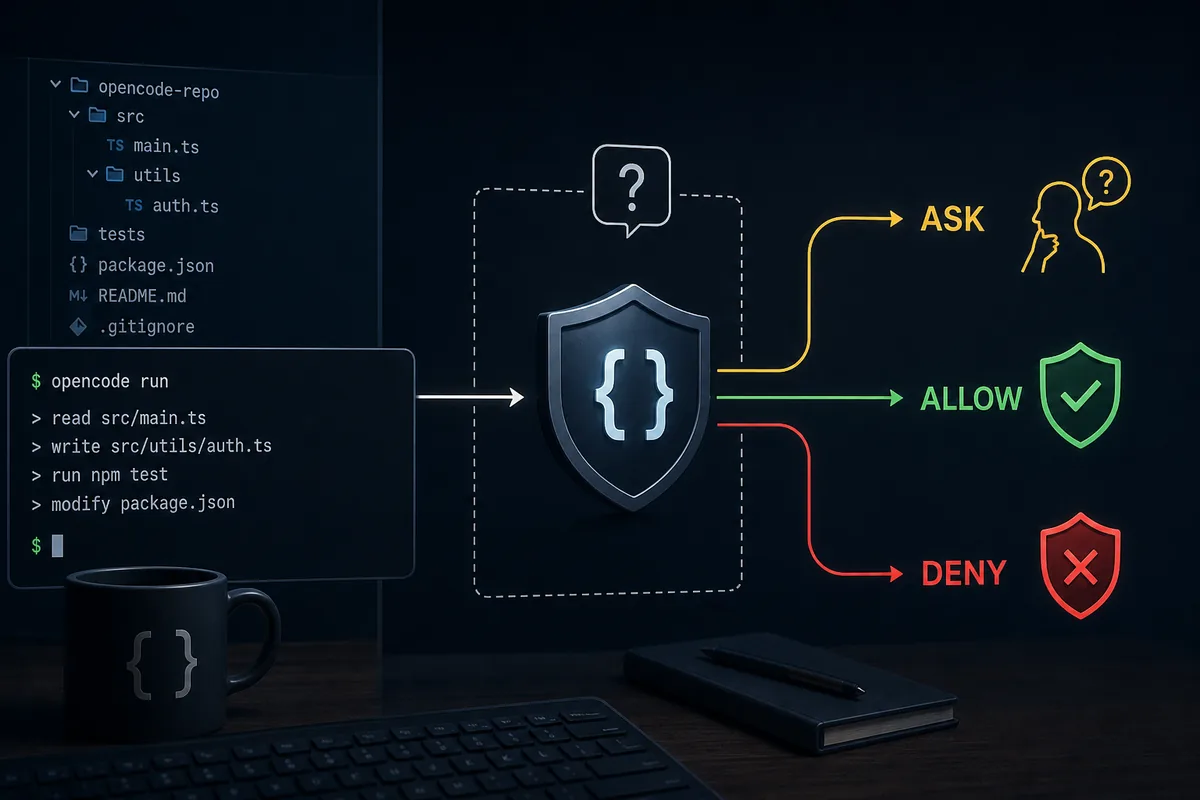
The safe default for OpenCode permissions is simple: keep actions on ask until you know the repository, allow only narrow repeated tasks, and deny paths or command patterns that would be expensive to repair. The exact OpenCode docs describe permission actions as allow, ask, and deny, and the current permission page also documents --auto for automatically approving requests that are not explicitly denied. That makes --auto a convenience mode, not a substitute for a reviewed policy.
Similarweb keyword data shows the strongest permission cluster around `opencode dangerously skip permissions`, `opencode dangerously-skip-permissions`, `opencode always allow permission`, `permissions open code`, and `opencode allow once not working`. The search intent is not a broad product overview. People are trying to remove repeated prompts, fix a permission loop, or understand whether a skip mode is safe enough for real code.
This page answers that intent without encouraging unsafe shortcuts. It gives a practical OpenCode permissions workflow for developers who use local repositories, VS Code, Ollama, agents, MCP servers, or CI-adjacent tasks. The goal is to reduce noisy confirmations while keeping destructive commands, external directories, secrets, generated output, and deployment steps reviewable.
1. Start with the permission model, not the skip flag
OpenCode permissions are policy, not decoration. The official permissions page describes three actions: allow runs without approval, ask prompts the user, and deny blocks the action. Start from those three outcomes before you reach for any skip-style workflow. If you cannot explain why a tool should be allowed, it should remain on ask or deny.
A common mistake is treating every confirmation as friction. Some prompts are useful because they identify a boundary change: editing a file, running bash, fetching a URL, touching an external directory, or letting an agent use a tool outside its normal scope. The right question is not `How do I stop OpenCode asking?` The better question is `Which actions are repetitive, reversible, and safe enough to approve without thinking?`
For a normal project, keep read-like inspection broad, edits reviewable, shell commands narrow, and deployment or secret-related work denied until a human explicitly approves it. This lets OpenCode stay fast for code reading and small edits while still showing the moments that can affect your machine, credentials, or remote services.
2. Use a risk table before changing opencode permissions
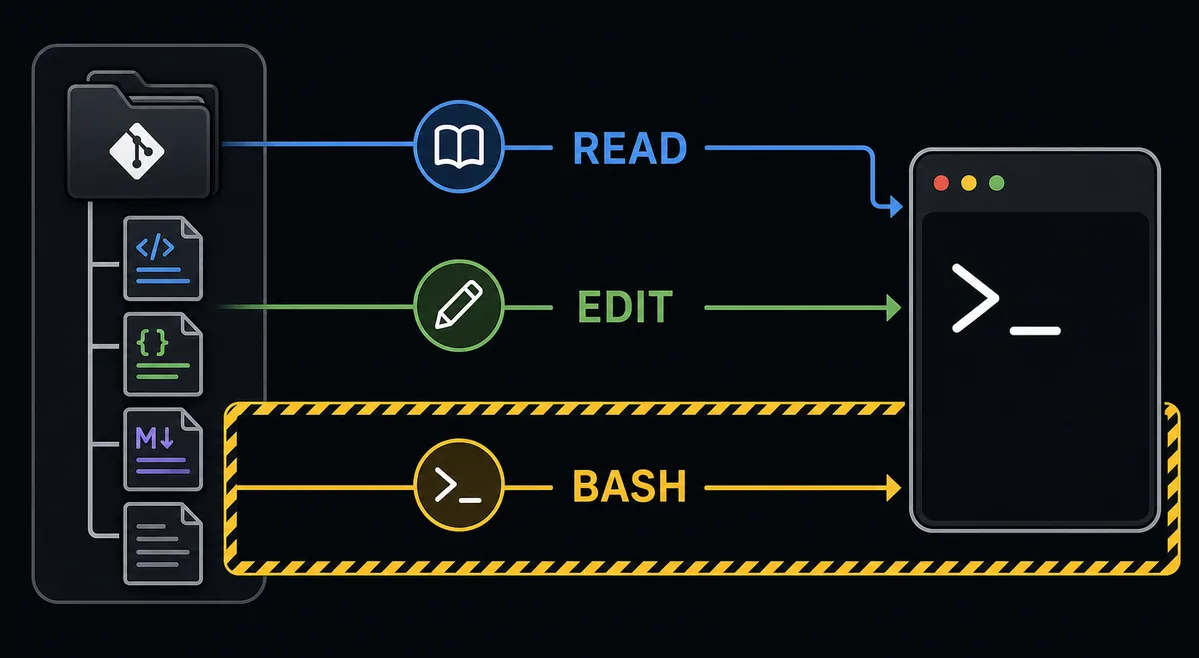
The safest permission file starts from the work you actually repeat. If OpenCode often reads files, searches the repository, or summarizes code, allow those low-impact actions. If it edits source files in a small area, ask until the pattern is proven. If it can run package managers, remove directories, touch production configuration, or call external network services, use deny or keep explicit review.
Do not mix tool type and business risk. A bash command that prints a version is not the same as a bash command that deploys, deletes, migrates a database, or writes credentials. A file edit in documentation is not the same as a file edit in a payment, authentication, or infrastructure module. Permission rules need to reflect both the tool and the repository context.
| Action pattern | Default posture | Reason |
|---|---|---|
| Read repository files and list directories | Allow or ask once | Usually reversible and needed for context. |
| Edit docs or small source files | Ask first, then narrow allow | Review the first diffs before trusting the pattern. |
| Run tests, linters, formatters | Ask or allow exact commands | Safe when the command and working directory are known. |
| Install packages or change lockfiles | Ask | Dependency changes affect the project beyond one patch. |
| Delete files, deploy, migrate, publish, or push | Deny or explicit ask | High-impact actions need visible human approval. |
| Touch external directories or secrets | Deny by default | The risk is outside the current repository boundary. |
3. Treat --auto as convenience, not as a safety policy
The current OpenCode permissions documentation says `opencode --auto` automatically approves permission requests that are not explicitly denied. That is useful for low-risk batch work, but it also means your deny rules must be real. If you turn on auto mode before writing denies, you have effectively moved many decisions from visible prompts into silent execution.
Use --auto only after the repository has a reviewed baseline. At minimum, deny destructive shell patterns, production environment files, generated deployment output when it should not be edited, private key locations, and directories outside the project unless you have a specific reason. For a team, commit the non-secret permission policy in the project config and explain the local commands that remain human-reviewed.
If your exact search is `opencode dangerously skip permissions`, read that as a warning sign. The durable answer is not a magic bypass. It is a permission profile that keeps common work smooth while forcing review for the actions you would regret. A page that only tells you how to skip prompts is incomplete unless it also explains what stays denied.
4. Put rules where the owner can review them
OpenCode configuration can live at different scopes, and the owner matters. Repository rules belong near the repository so reviewers can see them. Personal workstation preferences can live in a global config. Agent-specific overrides should stay close to the agent definition because they explain why one role needs a different permission shape than the default session.
Avoid putting secrets in `opencode.json` or any permission file. A permission rule may reference command patterns or tool behavior, but provider keys, tokens, private base URLs, proxy credentials, and deployment secrets should remain in environment variables or the provider's credential path. Permissions should describe what OpenCode may do, not store what it can use to access private systems.
When in doubt, document four items beside the rule: the tool or action, the reason for the posture, one test command, and the rollback step. This turns the permission file into an operational note rather than an unexplained list of allow and deny values.
5. Separate permissions for agents, MCP, and local tools
Agents and MCP servers can change the permission conversation. A review agent may need read-heavy access and no write access. A migration agent may need edits in a narrow folder but should not deploy. An MCP server may expose tools whose names look harmless while they still touch a database, a design file, or a ticket system.
Keep agent permissions narrow enough to match the role. Do not give every agent the same broad tool access just because one workflow needs it. For MCP, verify the server's tool list and authentication path before broad approval. If an external tool can mutate data, treat it closer to bash or deployment than to read-only code context.
This boundary also helps troubleshooting. When OpenCode asks for an unexpected permission, check whether the request came from the main session, a subagent, an MCP tool, a plugin hook, or a command wrapper. The fix is different for each layer, and changing the global policy may hide the real source.
6. Test permission changes before daily use
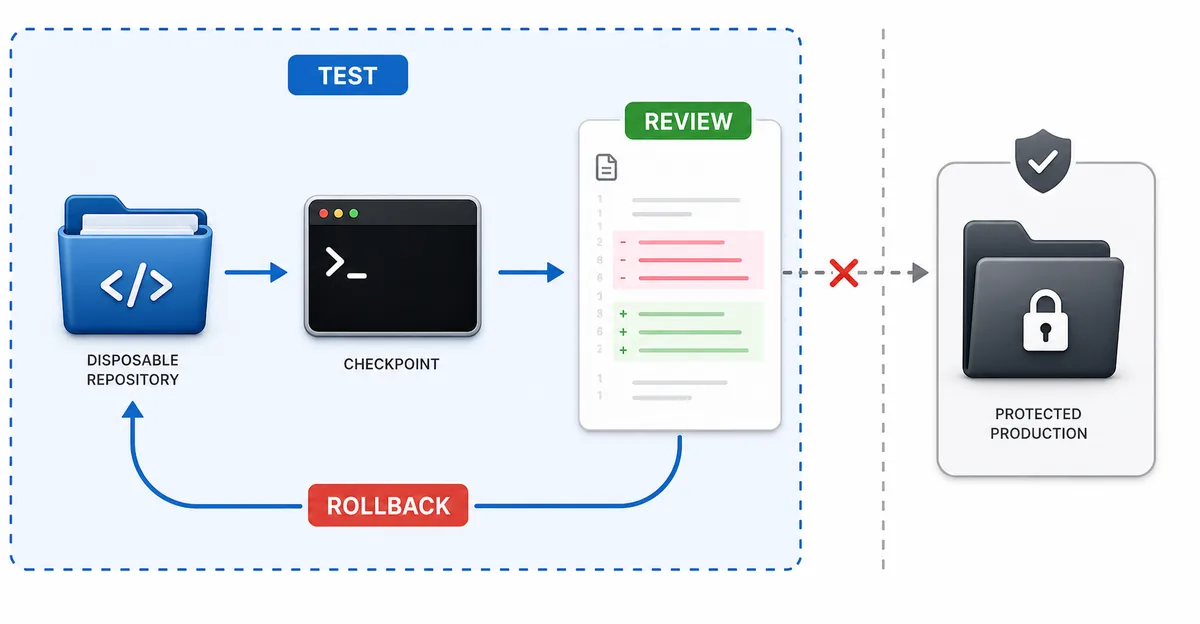
Permission changes deserve a test plan. Create a disposable repository with a small source file, a generated folder, a fake `.env.example`, and one harmless test command. Run the tasks that should be allowed, the tasks that should ask, and the tasks that should be denied. If the results are surprising, the policy is not ready.
Check both success and failure. A good rule lets OpenCode complete the expected small task, blocks the risky path, and explains the blocked action clearly enough that you know what to change. If a deny rule fails silently, or if an allow rule approves more than intended, reduce the pattern until the behavior is obvious.
Keep the rollback path simple: remove the project config entry, disable the agent override, start OpenCode without --auto, or move the global rule out of the config directory. A policy that cannot be disabled quickly will slow down incident response when a future OpenCode update, plugin, or MCP server changes behavior.
7. Fix noisy permission prompts by isolating one layer
If OpenCode keeps asking for the same action, isolate the layer before broadening permissions. Check the command text, working directory, file path, agent role, MCP server, plugin hook, and project config in that order. The problem may be a pattern mismatch, an external directory trigger, a command wrapper that changes arguments, or a subagent using a tool that the main session would not use.
For `allow once not working` style problems, make the repeated action visible. Write down the exact tool, path, and command that appears in the prompt, then compare it with the rule. A small path difference or shell wrapper can turn a trusted command into a new permission request. Fix the match narrowly instead of approving every future bash command.
Finally, keep CI and Git separate from permission shortcuts. OpenCode can help prepare commits, inspect workflows, and explain failures, but committing, pushing, deploying, publishing packages, or changing production infrastructure should remain explicit operations with validation evidence. Permissions should reduce noise; they should not hide release decisions.
OpenCode permissions FAQ
What are OpenCode permissions?
OpenCode permissions control whether actions are allowed, blocked, or sent to the user for approval during an OpenCode session.
What does opencode --auto do?
The current official docs describe --auto as automatically approving permission requests that are not explicitly denied. Use it only with reviewed deny rules.
Is dangerously skip permissions safe?
Treat any skip-permission workflow as risky unless the repository, commands, and deny rules are already tested. Prefer a narrow permission policy over a blanket bypass.
Should I allow bash in OpenCode?
Allow exact, repeatable, low-risk commands only after testing. Keep package installs, deletes, deployments, migrations, and secret-related commands on ask or deny.
Where should OpenCode permission rules live?
Put repository rules in project config, personal workflow preferences in global config, and role-specific exceptions beside the relevant agent definition.
How do I stop repeated permission prompts?
Record the exact tool, command, and path that triggers the prompt, then add the narrowest matching rule. Do not approve a whole tool category just to remove one prompt.
Sources
Official OpenCode documentation was checked on July 30, 2026. Permission names and config behavior can change, so verify exact syntax against the current docs before changing a production repository.