
Model selection guide
Best OpenCode Models: 7 Checks for Choosing Hosted, Local, and Free Options
The useful answer is not one universal winner. Start with a reliable hosted model for complex reasoning, use a balanced coding model for routine edits, choose a local model when privacy or offline work matters, and treat free or included models as a way to test a workflow rather than a permanent quality guarantee. This guide turns that choice into a repeatable check instead of a model-name guessing game.
- Quick answer
- best opencode models
- Checked August 4, 2026
- 17 min read
Quick answer
Which OpenCode model should you start with?
The useful answer is not one universal winner. Start with a reliable hosted model for complex reasoning, use a balanced coding model for routine edits, choose a local model when privacy or offline work matters, and treat free or included models as a way to test a workflow rather than a permanent quality guarantee. This guide turns that choice into a repeatable check instead of a model-name guessing game.

| Your need | Best first choice | Why it fits | Watch for |
|---|---|---|---|
| Long plans, debugging, architecture | A strong reasoning-focused hosted model | More room for multi-step analysis and tool decisions | Higher latency or usage cost |
| Daily code edits and review | A balanced coding model | Good speed and enough context for ordinary repository work | Weaknesses on unusually deep reasoning |
| Private or offline experiments | A local model | Data stays on the machine and the workflow can work without a hosted endpoint | Hardware, context length, and tool-use limits |
| Learning the workflow cheaply | A free or included model | Useful for testing prompts, commands, and low-risk tasks | Availability, quotas, and quality can change |
1. Match the model to the task before comparing model names
A model that is excellent at a long architectural plan can be a poor default for every small edit. Separate the work into four buckets: reasoning and planning, implementation, explanation and documentation, and quick transformations. Planning needs consistency across many steps; implementation needs accurate code edits and useful context handling; documentation values clarity and speed; quick transformations should not consume an expensive model when a smaller one is sufficient.
The strongest starting point for best OpenCode models is therefore a task profile. Write down the expected output, the cost of a wrong answer, the amount of repository context, and whether the model must call tools. A read-only explanation can tolerate a fast model. A migration that changes dozens of files deserves a stronger model and a human-reviewed diff. This boundary keeps a recommendation useful even when provider catalogs change.
Do not use the phrase best model as a substitute for a requirement. If the task is mostly autocomplete-like editing, latency may matter more than maximum reasoning depth. If the task is a production incident investigation, reliability and traceability matter more than a small price difference. Use the model selection flow in the next sections to make that trade-off explicit.
| Task profile | Prioritize | A sensible first test |
|---|---|---|
| Architecture or multi-step debugging | Reasoning quality and stable tool use | Ask for a plan and assumptions before edits |
| Routine implementation | Code accuracy, context handling, and speed | Make one small change and inspect the diff |
| Docs, summaries, and explanations | Clarity, instruction following, and latency | Give a bounded source file and a clear format |
| Private or offline work | Local runtime, hardware fit, and data boundary | Run a read-only task with a small context |
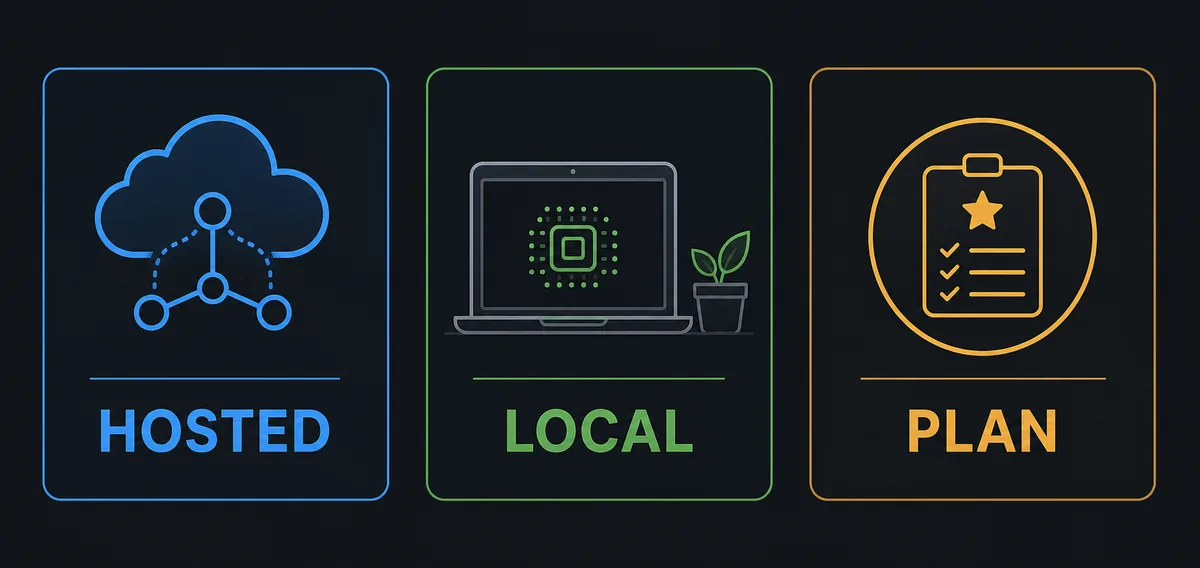
2. Understand hosted, local, and plan-included model paths
Hosted models are usually the simplest first benchmark because the provider manages the runtime and the model is available through a stable endpoint. They are a good fit when you need stronger reasoning, a large context window, or predictable tool behavior and the project can send code context to that provider. The trade-off is network dependence, provider policy, and usage cost. Check the provider terms before sending proprietary material.
OpenCode local models are a different operating model, not merely a cheaper hosted model. They depend on memory, compute, quantization, runtime configuration, and the model's tool-calling behavior. A local model can be the right choice for sensitive code, offline work, or experimentation, but it may need smaller prompts and more explicit instructions. Use the site's dedicated OpenCode Ollama guide for the connection and runtime details; this page focuses on deciding whether local inference fits the job.
A subscription or included model path can be convenient for a team that wants one billing boundary and a quick start. It still needs a capability check: included access may have quotas, model availability can change, and a plan can be a poor fit for one large repository if context or tool limits are restrictive. Keep plan comparison separate from model selection so you do not mistake a pricing product for a capability guarantee.
3. Compare context, latency, reliability, privacy, and cost
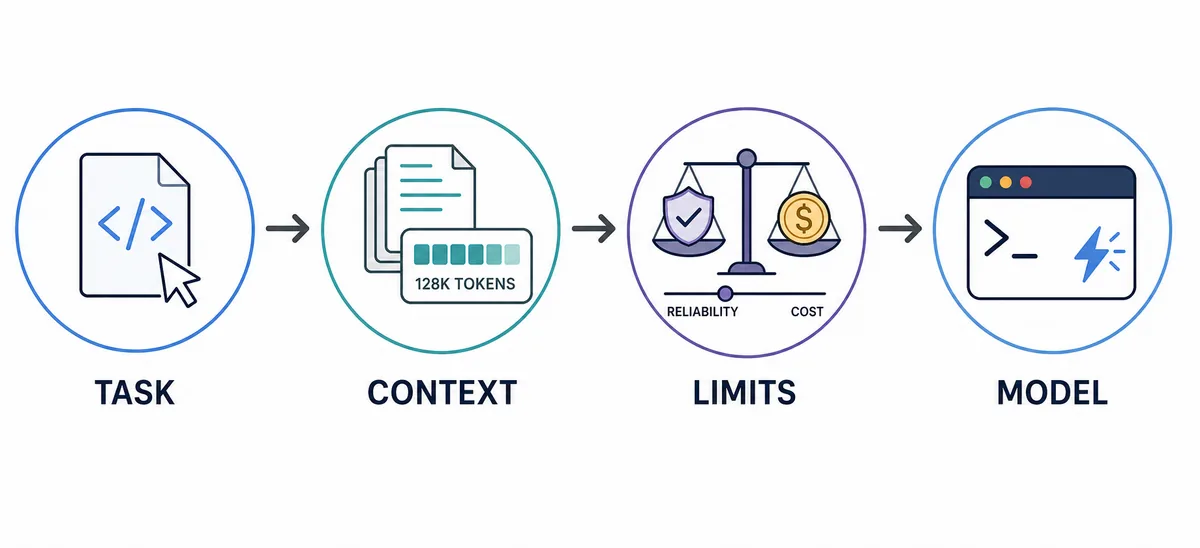
Context length is only useful when the model can use the relevant context accurately. Sending an entire repository may increase noise and cost without improving the answer. Start with the smallest set of files that proves the task, then expand only when the model needs more evidence. For OpenCode, this means checking what the agent can read, which tools are enabled, and whether the prompt asks for a concrete output instead of a general opinion.
Latency changes how a model feels in an interactive terminal. A slower model may be worthwhile for one high-risk plan, while a fast model is better for repeated small edits. Reliability includes more than uptime: it covers consistent formatting, correct tool selection, resistance to unsupported assumptions, and predictable failure behavior. Privacy is a project constraint, not a marketing adjective. Decide what code may leave the machine before selecting a provider.
A practical comparison records one task on each candidate with the same prompt and context. Note time to first useful response, total time, changed-file count, factual errors, tool errors, and whether the result needed substantial correction. Keep the result next to the model identifier and date. This makes a model recommendation auditable instead of relying on a reviewer's memory.
4. Keep the selected model explicit in OpenCode config
OpenCode model configuration follows the provider/model pattern. The exact provider identifier and model ID belong to the provider's current documentation, so use placeholders until you verify those values. Keep the choice explicit in the project or user configuration that matches the scope you intend. A repository-wide default should be easy for another developer to read, while sensitive credentials should remain in the provider's credential flow or environment variables.
The smallest useful configuration is easier to review than a large copied catalog. Start with one default, make the first task read-only or low risk, and record why the choice fits the repository. If a teammate needs a different model, document the reason and the expected trade-off rather than silently changing the shared default. The official OpenCode config and models pages are the authority for schema and provider behavior.
{
  "$schema": "https://opencode.ai/config.json",
  "model": "provider/model-id"
}
5. Test a model with a repeatable benchmark before switching
Do not evaluate a model by asking for a clever demo. Use a small benchmark that resembles the work you actually do: explain one unfamiliar module, propose a plan without editing, implement one bounded change, and review the resulting diff. Use the same repository context, prompt, and acceptance criteria for every candidate. A model that sounds impressive but misses a constraint should not become the default.
Record the result in four dimensions: correctness, completeness, interaction cost, and risk. Correctness asks whether the code or explanation is right. Completeness asks whether it addressed the whole request. Interaction cost includes waiting and follow-up prompts. Risk covers secrets, destructive commands, unreviewed writes, and unsupported claims. This is more actionable than a single model score.
Switch models when the failure pattern is stable, not after one unlucky response. If only long-context tasks fail, reduce context or choose a model with a better context fit. If tool calls fail, inspect permissions and provider support before blaming the model. If local inference is slow, test a smaller model or narrower prompt before abandoning the privacy requirement.
- Freeze the taskUse one representative task, repository snapshot, prompt, and acceptance checklist.
- Run read-only firstAsk for assumptions and a plan before allowing a write-capable tool.
- Measure the resultRecord useful output time, errors, follow-up prompts, and changed files.
- Inspect the diffReject unsupported edits, missing tests, or unexplained files before comparing speed.
- Choose a defaultKeep the model that meets the task threshold with the lowest practical cost and risk.
6. Avoid common mistakes when choosing OpenCode models
The first mistake is optimizing for a model leaderboard while ignoring the actual repository. Benchmarks may use different prompts, context, tools, and dates. A model can rank highly and still be inconvenient when it cannot access the required provider, exceeds the team's budget, or produces unstable patches. Use public comparisons as hypotheses, then verify with a small local benchmark.
The second mistake is treating free models as identical to paid or included models. Free access can be useful for learning the command flow and checking a prompt, but quotas, queue time, context, and availability are part of the experience. Keep free models in the low-risk lane until they pass the same benchmark as the intended production choice.
The third mistake is changing the model before checking configuration and permissions. A missing provider key, incorrect model ID, blocked tool, or oversized context can look like poor model quality. Confirm the provider, model identifier, authentication, and active configuration source first. Then use the existing JSONC config and MCP guides to isolate the layer that actually failed.
| Symptom | Likely cause | Repair |
|---|---|---|
| The model is unavailable | Provider or model ID changed | Check the official provider and model documentation |
| Responses are slow | Large context, queue, or local hardware | Narrow context or benchmark a smaller model |
| Tool calls fail | Permissions or provider support | Run a read-only tool test and inspect the active config |
| Output sounds confident but is wrong | Task exceeds context or reasoning fit | Ask for assumptions, evidence, and a smaller plan |
7. Keep the decision current without rewriting the whole workflow
Model catalogs and provider policies change faster than a repository's basic workflow. Keep the durable part of the decision in your benchmark: task type, context boundary, acceptance checks, and rollback path. Update only the model identifier and measured notes when a provider changes its catalog. This keeps the article and the project configuration honest without claiming that one model is permanently best.
For the next step, use the related guides according to the boundary: the Ollama guide explains local model connection, the Go and Zen comparison explains subscription choices, and the JSONC guide explains configuration structure. Those pages should answer their own intents. This page is the decision layer that helps you choose which path to test first.
Best OpenCode models FAQ
What are the best OpenCode models?
There is no permanent universal winner. Start with a reliable hosted model for complex reasoning, a balanced model for routine coding, or a local model when privacy and offline use are the priority. Compare candidates on one representative task before setting a default.
Which OpenCode model is best for coding?
Choose the fastest model that reliably follows repository context, edits the requested files, and produces a reviewable diff. For large refactors or difficult debugging, benchmark a stronger reasoning-focused model instead of assuming the fastest model is enough.
Are local models good for OpenCode?
They can be a good fit for private or offline workflows, but quality depends on hardware, runtime, context length, and tool-use support. Start with a small read-only task and link local setup decisions to the dedicated Ollama guide.
Can I use free models with OpenCode?
Yes, when the provider makes them available, but free access can have quotas, queue time, changing availability, or different context limits. Use free models for low-risk tests until they pass the same benchmark as the production choice.
Does OpenCode work without an API?
A hosted provider normally needs its own authentication flow, while a local provider may run without a remote API key. The exact setup depends on the provider and runtime, so verify the current official provider documentation rather than assuming every model path works offline.
How often should I recheck my OpenCode model choice?
Recheck when the provider, model identifier, quota, hardware, repository type, or privacy requirement changes. Keep a small repeatable benchmark so the change is based on evidence instead of a single response.
Official sources checked
OpenCode model and provider references
Checked August 4, 2026. Provider catalogs, model identifiers, quotas, and policies can change; verify the official documentation before committing a production default.