
Provider setup guide
OpenCode Providers: 7 Checks for Models, Keys, and Setup
An OpenCode provider is the connection layer between the coding assistant and a model service. It is not the model itself and it is not the API key. Start by choosing the provider path that fits your budget, privacy, and operational needs; then keep credentials in the provider flow or environment, select a model that the provider actually exposes, and verify with a small read-only task. This guide separates those decisions so an empty model list does not send you chasing the wrong layer.
- Primary keyword
- opencode providers
- Verified August 15, 2026
- 18 min read
Quick answer
opencode providers
The search term opencode providers covers several different decisions: which hosted service to use, how to add a third-party provider, whether an OpenAI-compatible endpoint will work, and why a provider appears but its models do not. A useful page must answer those questions without turning into a vendor directory that goes stale as pricing, model IDs, and authentication rules change.
The official OpenCode Providers documentation currently groups credentials, configuration, OpenCode Zen, OpenCode Go, and a provider directory on one page. This guide adds the decision order around that source: identify the layer, choose the smallest viable connection, validate the model ID, and record the evidence before enabling write-heavy coding work.
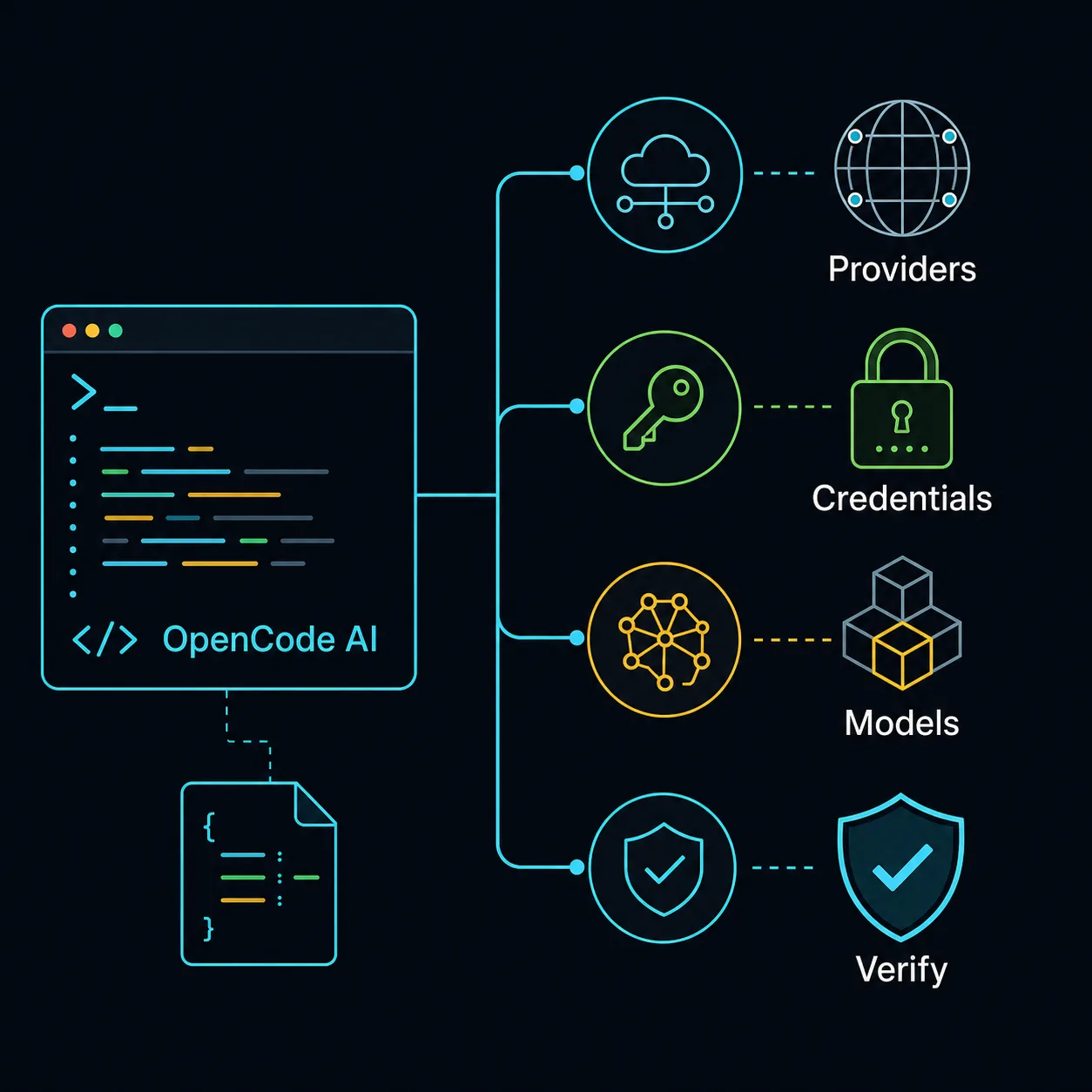
| Layer | What it answers | Evidence to keep |
|---|---|---|
| Provider | Which service or endpoint receives the request? | Provider ID, official setup page, base URL |
| Credentials | How is the request authenticated? | OAuth status or environment variable name, never the secret |
| Model | Which model ID should OpenCode call? | Exact ID from /models or the provider directory |
| Config | Which scope and precedence win? | Global/project path and resolved setting |
| Verification | Did a safe request complete as expected? | Prompt, response, latency, error, and rollback note |
1. Separate provider, model, and credentials
A provider names the route to a model service. The model is the concrete capability behind that route, such as a coding or reasoning model exposed by the provider. Credentials prove that the request is allowed. If you treat all three as one setting, the symptoms become misleading: a valid key cannot fix a wrong model ID, and a visible model cannot fix an expired credential.
The configuration scope is a fourth concern. A provider may work in a project file but not in a global file, or a later managed setting may override what you edited. Keep a short note of the file, scope, provider name, model ID, and verification date. That is more useful than copying an entire config file into a ticket, especially when the file may contain local paths or policy details.
| Layer | What it answers | Evidence to keep |
|---|---|---|
| Provider | Which service or endpoint receives the request? | Provider ID, official setup page, base URL |
| Credentials | How is the request authenticated? | OAuth status or environment variable name, never the secret |
| Model | Which model ID should OpenCode call? | Exact ID from /models or the provider directory |
| Config | Which scope and precedence win? | Global/project path and resolved setting |
| Verification | Did a safe request complete as expected? | Prompt, response, latency, error, and rollback note |
2. Choose the provider path before you edit JSON
There are four practical paths. OpenCode Go and OpenCode Zen are first-party service choices with their own plan and model assumptions. A hosted third-party provider is useful when your organization already has billing, regional controls, or a preferred model catalog. An OpenAI-compatible or local endpoint is flexible, but you own more of the URL, model discovery, runtime, and debugging surface.
Do not choose from a long directory by name alone. Ask which constraint matters first: predictable monthly cost, pay-as-you-go control, data location, offline use, model quality, latency, or a provider your team already operates. A provider that looks cheap can still be a poor fit if its model list is unstable or its endpoint cannot be verified from the environment where OpenCode runs.
| Path | Use it when | First check | Main trade-off |
|---|---|---|---|
| OpenCode Go | You want a first-party subscription path | Current allowance and model list | Plan limits can shape usage |
| OpenCode Zen | You want curated pay-as-you-go access | Current pricing and spend controls | Usage cost varies by request |
| Hosted third party | Your team already uses a service | Region, auth, quota, and model IDs | Provider policy and uptime differ |
| OpenAI-compatible | You need a compatible API or gateway | Base URL and /v1/models response | You own more discovery and runtime checks |
| Local runtime | Offline or local data is the priority | Process health, context, and hardware | Quality and latency depend on the machine |
3. Configure a provider without putting secrets in Git
The official configuration shape places custom providers under the provider key. The exact npm adapter, options, authentication variable, and model map depend on the service. Start with the provider owner documentation, copy only the fields you understand, and leave a comment in your team notes about why the endpoint and adapter were selected.
Keep the secret outside the repository. Use the authentication flow supported by the provider, an environment variable, or the platform credential store. Do not paste a live API key into opencode.json, a screenshot, a shell history, or a shared session. If a key has appeared in a log, rotate it before continuing; deleting the line from the file does not remove it from the log history.
Use one provider entry at a time while testing. A minimal change makes it possible to distinguish a schema problem from a service outage. It also makes rollback obvious: remove the new provider block, restore the previous model selection, and repeat the known-good request.
{
  "$schema": "https://opencode.ai/config.json",
  "provider": {
    "my-provider": {
      "npm": "@ai-sdk/openai-compatible",
      "name": "provider-demo",
      "options": {
        "baseURL": "https://api.provider.test/v1"
      },
      "models": {
        "model-id": { "name": "Model name" }
      }
    }
  }
}
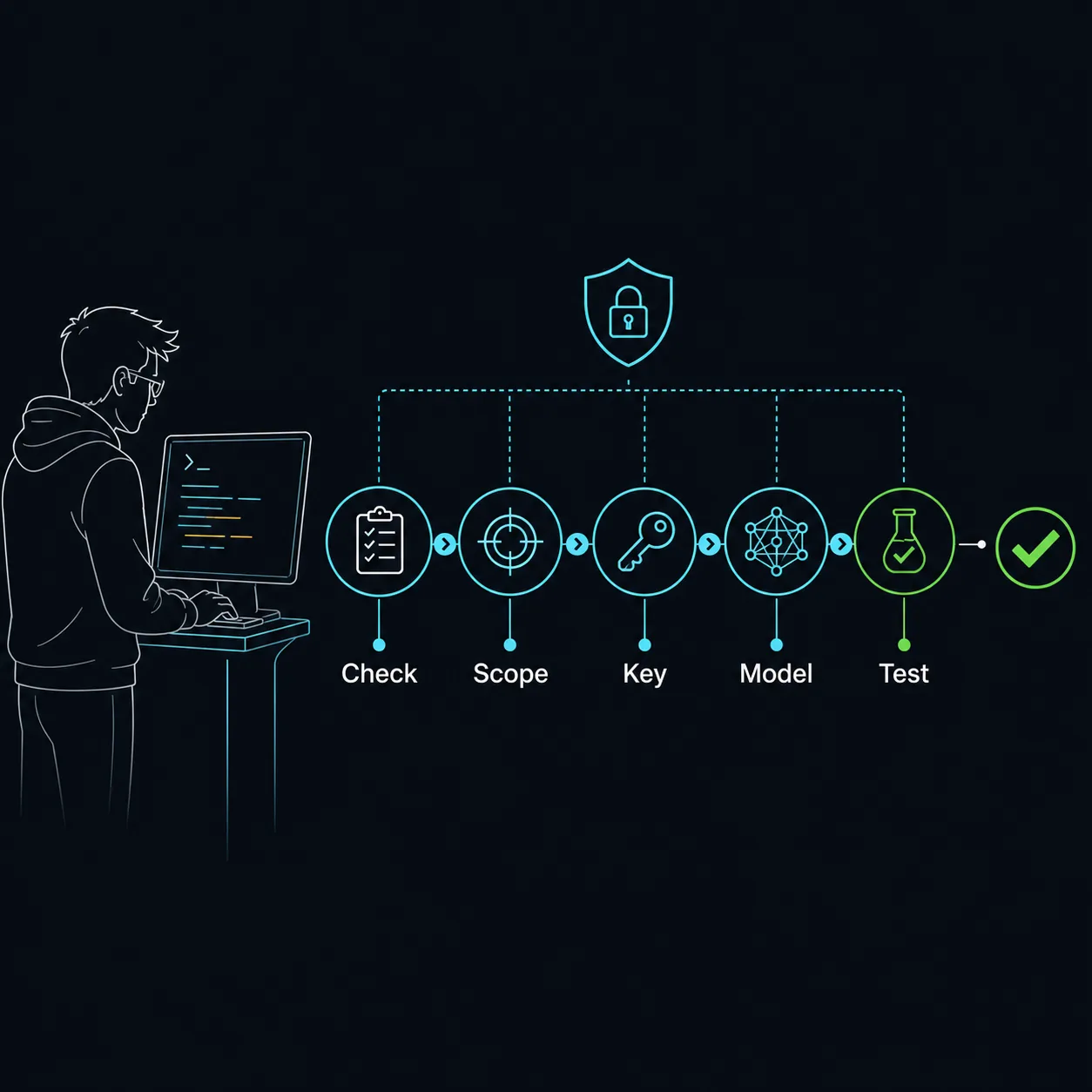
4. Bind a real model and verify it in seven checks
A provider entry is not finished until OpenCode can discover a real model and complete a small request. Use the current provider documentation for the model ID and authentication method, then use /models to see what OpenCode can select. If the provider offers several variants, start with one model whose context, tool use, latency, and cost match the task instead of exposing the whole catalog.
The first request should be read-only and easy to compare: ask for a short explanation of a small local file, or ask the model to list the next validation command without running it. Record whether the response is complete, whether tools are available, how long it takes, and whether the answer used the expected model. Only after that evidence is clear should you test an edit or an external write.
- Check scopeConfirm whether the setting is global, project-level, custom-path, or managed.
- Protect the keyUse OAuth, an environment variable, or the provider credential store.
- Confirm the providerMatch the provider ID, adapter, endpoint, and official instructions.
- Confirm the modelUse the exact model ID exposed by the provider, not a display name.
- List modelsOpen the model picker or run the documented `/models` flow.
- Run read-onlyUse a small prompt and compare the answer with a known expectation.
- Write a rollback noteRecord the working config, test result, and the smallest reversal.
5. Diagnose the failing layer instead of changing everything
Provider errors are easier to fix when you preserve the boundary between authentication, discovery, model selection, and transport. A 401 or OAuth loop points to credentials or scopes. A provider that never appears points to config scope, schema, or loading order. A model picker that opens but lacks the expected model points to the provider catalog or model ID. A timeout after a successful discovery points to network, proxy, region, or service health.
Change one variable per test. First verify the endpoint or provider flow using the official instructions, then verify OpenCode reads the intended config file, then list models, and only then test a prompt. Avoid adding more providers as a way to diagnose one broken provider: the extra entries make the model list and error logs harder to interpret.
| Symptom | Likely layer | First safe check |
|---|---|---|
| 401, OAuth loop, or rejected key | Credentials or scopes | Rotate exposed keys, then repeat the official auth flow |
| Provider does not appear | Config scope or schema | Confirm the active file, provider key, and JSONC validity |
| Provider appears but model is missing | Model catalog or ID | Use the provider’s exact ID and refresh the model list |
| Model lists but request times out | Network or service | Check endpoint, proxy, region, status, and timeout |
| Response works but tools fail | Model capability or permissions | Run a read-only task and inspect tool policy |
| Unexpected bill or limit | Plan or usage policy | Check current provider pricing, quotas, and spend controls |
6. Match the provider to the job and keep neighboring pages separate
Use OpenCode Go when a first-party subscription and predictable allowance fit your normal volume; use Zen when its curated catalog and pay-as-you-go controls fit the work. Use a third-party hosted provider when its compliance, billing, geography, or model access is the real requirement. Use a local or OpenAI-compatible endpoint when you accept responsibility for the runtime and model service. These are fit decisions, not universal rankings.
Provider choice also changes privacy assumptions. The OpenCode CLI may run locally while requests still go to the selected model service. Read the provider policy, avoid sending secrets or unnecessary customer data, and use a non-production repository for the first test. The site’s model guide covers capability trade-offs, the JSONC guide covers configuration scope, the Ollama guide covers local runtime details, and the Go vs Zen guide covers those two first-party paths; this page links to them rather than repeating them.
For the broad question opencode providers, a useful outcome is a reproducible connection, not a frozen list of winners. Provider directories and model availability change. Recheck the official provider page, model ID, price, limits, and credential requirements on the day you configure the connection, then keep the date in your team note.
OpenCode Providers FAQ
What are OpenCode providers?
Providers are the services or endpoints that expose models to OpenCode. A provider is the connection layer; the model ID and credentials are separate parts of the setup.
Does OpenCode support OpenAI-compatible providers?
The official provider documentation includes OpenAI-compatible configuration examples. Confirm the adapter, base URL, authentication variable, and model IDs with the endpoint owner before using the connection.
How do I add a third-party provider to OpenCode?
Add one provider entry under provider in the config scope that should own it, use the documented adapter and endpoint, keep credentials outside Git, then list models and run a read-only verification prompt.
Which OpenCode provider has a free tier?
Free tiers and quotas change. Treat a free-tier claim as time-sensitive: check the provider’s current pricing and limits, then verify that the desired model is available in the same region and plan.
Is OpenCode Go or Zen a better provider?
Neither is universally better. Go fits predictable subscription usage; Zen fits curated pay-as-you-go control. Compare the current model list, limits, privacy terms, and a repeatable five-task sample.
Why can I see a provider but not its models?
The provider may be loaded while the model ID, adapter, endpoint, permissions, or catalog request is wrong. Confirm the exact ID and use the provider’s documented model-listing path before changing unrelated settings.
Verified sources
Official OpenCode documentation
Provider directory, configuration fields, model selection, pricing, limits, and authentication can change. Checked August 15, 2026; verify the official pages again before production use.